Showing posts with label Bern Rexer. Show all posts
Showing posts with label Bern Rexer. Show all posts
January 23, 2014

August 22, 2013
The Downside of YouTube Live?
by Bern Rexer
I recently replied to a post on a social network asking if there was a downside to YouTube live streaming and if it will succeed. It was a difficult to offer a succinct response - i've always been challenged with brevity! But here is my take...

I've seen nothing but continual growth and overall improvement with YouTube live since it began. But it is not as mature right now as similar services regarding features or technical support.
I think support is proportional to price but I'd consider Google's philosophy regarding support and product knowledge is to rely on the G+ social network which is a fine strategy. Most Google+ products offer approachable community managers - but not so much with YouTube yet.
However the YouTube Live Streaming Guide is documented well and the YouTube Live Support Forum is adequate - occasionally a YouTube rep will respond (most replies are from contributors). But direct communication with YouTube live support is probably limited to top tier producers. As well a 'Contact Us - direct email consultation' support link was recently added to the YouTube help guide. Your channel is eligible for support if you have more than 15,000 hours of watch time over the last 90 days. When you click the link, the system automatically provides access based on your viewer analytics.
Remember that Google, including YouTube, is a MASSIVE and very complex operation. They don't have the human resources to offer a typical support system. They also change so quickly that a typical support system is not practical.
Support for live streaming services is almost always concerning network issues and connectivity. But since YouTube has now opened up live streaming to most (anyone with at least 100 subscribers) - there has been a noticeable deluge of basic user operation questions. Sure, encoding can be a complex task. Still, if something is not connecting then I'd like to call a network operations center or speak with my account rep - which most other services offer if your paying for it. And unlike other streaming services, YouTube does not share their network infrastructure or who they partner with - which to me offers an idea of assurance. I can only assume that the Google CDN for live streaming is (big?) and continues to build out.
Anyhow, CDNs have always had a reputation regarding congestion and stability. I'm so far pretty happy with the YouTube's network capability and buffer spinners are only occasional.
The biggest benefit, and why YouTube live streaming will succeed is because of the G+ network. But also, because of Google's massive infrastructure, resources and subsidy to YouTube it will prevail.
But that doesn't mean that Ustream, Livestream and others will go out of business. Most producers don't like change - and most viewers don't care about the platform or brand as long as they easily see the video. BTW the guys a Livestream are fantastic regarding service and passion to their work - and are very capable of pivoting for continual service offerings.
To really understand Google and YouTube live start engaging through a G+ account, build your circles, and follow the YouTube Live Streaming Google+ Community.
Happy Streaming!
:o)
-B
I recently replied to a post on a social network asking if there was a downside to YouTube live streaming and if it will succeed. It was a difficult to offer a succinct response - i've always been challenged with brevity! But here is my take...

I've seen nothing but continual growth and overall improvement with YouTube live since it began. But it is not as mature right now as similar services regarding features or technical support.
I think support is proportional to price but I'd consider Google's philosophy regarding support and product knowledge is to rely on the G+ social network which is a fine strategy. Most Google+ products offer approachable community managers - but not so much with YouTube yet.
However the YouTube Live Streaming Guide is documented well and the YouTube Live Support Forum is adequate - occasionally a YouTube rep will respond (most replies are from contributors). But direct communication with YouTube live support is probably limited to top tier producers. As well a 'Contact Us - direct email consultation' support link was recently added to the YouTube help guide. Your channel is eligible for support if you have more than 15,000 hours of watch time over the last 90 days. When you click the link, the system automatically provides access based on your viewer analytics.
Remember that Google, including YouTube, is a MASSIVE and very complex operation. They don't have the human resources to offer a typical support system. They also change so quickly that a typical support system is not practical.
Support for live streaming services is almost always concerning network issues and connectivity. But since YouTube has now opened up live streaming to most (anyone with at least 100 subscribers) - there has been a noticeable deluge of basic user operation questions. Sure, encoding can be a complex task. Still, if something is not connecting then I'd like to call a network operations center or speak with my account rep - which most other services offer if your paying for it. And unlike other streaming services, YouTube does not share their network infrastructure or who they partner with - which to me offers an idea of assurance. I can only assume that the Google CDN for live streaming is (big?) and continues to build out.
Anyhow, CDNs have always had a reputation regarding congestion and stability. I'm so far pretty happy with the YouTube's network capability and buffer spinners are only occasional.
The biggest benefit, and why YouTube live streaming will succeed is because of the G+ network. But also, because of Google's massive infrastructure, resources and subsidy to YouTube it will prevail.
But that doesn't mean that Ustream, Livestream and others will go out of business. Most producers don't like change - and most viewers don't care about the platform or brand as long as they easily see the video. BTW the guys a Livestream are fantastic regarding service and passion to their work - and are very capable of pivoting for continual service offerings.
To really understand Google and YouTube live start engaging through a G+ account, build your circles, and follow the YouTube Live Streaming Google+ Community.
Happy Streaming!
:o)
-B
August 15, 2013
Get More Subscribers for YouTube Live
by Bern Rexer
Add subscriptions to your YouTube channel by ASKING ! !
You only need 100 subscribers to get your YouTube channel enabled for Live Streaming.
Provide this URL in your posts and emails - add your YouTube channel name after add_user=
http://www.youtube.com/subscription_center?add_user=
Learn more by joining the YouTube Live Streaming community at
https://plus.google.com/communities/104895156772939756721
 |
| YouTube Subscriber Link |
You only need 100 subscribers to get your YouTube channel enabled for Live Streaming.
Provide this URL in your posts and emails - add your YouTube channel name after add_user=
http://www.youtube.com/subscription_center?add_user=
Learn more by joining the YouTube Live Streaming community at
https://plus.google.com/communities/104895156772939756721
June 12, 2013
YouTube Live Feature Request
By Bern Rexer

The YouTube Live Streaming Community on Google Plus has a category to post your feature requests.
It can be found here:
YouTube Live Feature Request

Although they don't respond to all posts you have a good chance of your request being seen by YouTube here.

I don't know of an official feature request submission form or email but maybe someone can leave a comment.
February 21, 2013
Secure Live Streaming on YouTube using Google+ Circles
By Bern Rexer
YouTube offers privacy options for sharing live streaming through Google+ Circles. This can be beneficial if for example your company has an all employee, all hands or town hall style live webcast and you want to limit the stream to only your employees. Or if you want to offer a live stream of a conference, seminar or live concert - but only to a specific audience - such as those who have purchased the event. Then you can add the audience into your G+ Circle and they will get an invitation email to view the stream.
This method is a way to increase the private event outside of the previous 50 person limit. Each viewer however must have a Google+ account.
This is a very powerful and easy option for secure live streaming on YT. It also leads to some powerful viewer metrics.
Here is the YouTube support link that explains Private and Unlisted Videos on YouTube.
The important paragraph in this support selection is:

YouTube offers privacy options for sharing live streaming through Google+ Circles. This can be beneficial if for example your company has an all employee, all hands or town hall style live webcast and you want to limit the stream to only your employees. Or if you want to offer a live stream of a conference, seminar or live concert - but only to a specific audience - such as those who have purchased the event. Then you can add the audience into your G+ Circle and they will get an invitation email to view the stream.
This method is a way to increase the private event outside of the previous 50 person limit. Each viewer however must have a Google+ account.
This is a very powerful and easy option for secure live streaming on YT. It also leads to some powerful viewer metrics.
Here is the YouTube support link that explains Private and Unlisted Videos on YouTube.
The important paragraph in this support selection is:
- If you use your Google+ identity on YouTube, you do not have a 50 person limit on sharing, as private video sharing is done to Google+ circles. There is no limit to the number of circles to which a Google+ user can share.
- In order to watch a private video, your contacts must already have a YouTube account. If they don't already have an account, they'll first need to sign up for an account. If they do not sign into their account before watching the video, the video will not load.
November 09, 2012
YouTube adds 16 Categories to Live Home Page
by Bern Rexer

YouTube's Live Home Page - where a list of all events streaming live or scheduled to stream live appear, has a new layout - adding a list of 16 categories (and new graphics too).
Because YouTube continues to provide its partners the capability to stream live, more live content is being produced. This new layout allows viewers to easily search live content within the following categories. Each category has a dedicated page and is setup similar to an individual YouTube channel where the viewer can subscribe to it.
Subscriptions are sparse with a few channels and Gaming appears to be the most popular.

Sports

News & Politics

Gaming

Music

Google+ Hangouts On Air

Autos & Vehicles

Comedy

Education

Entertainment

Film & Animation

Howto & Style

Nonprofits & Activism
People & Blogs

Pets & Animals

Science & Technology

Travel & Events
Additional notes:
- YouTube provides special featured events at the very top of the YouTube live home page.
- All events that show up on the live listings are created as 'public' events by the channel partner.
- Events with more viewers appear at the top of a listing within each category. It appears that if an event is live but there are no viewers, or the event is not receiving a stream (an error message appears) then that live event will still show up in the listings.
- Although Google+ Hangouts On Air has its own category, there still appears to be HOA events within other categories.
October 30, 2012
The Weather Channel Live on YouTube Spikes Subscriptions
By Bern Rexer
The Weather Channel always gains viewership when major weather events occur. The television coverage of Hurricane Sandy was no different. But after streaming live on YouTube, not only did their Internet viewership increase but The Weather Channel’s YouTube channel subscription rate spiked significantly.
YouTube featured The Weather Channel’s broadcast coverage,
less commercials, on YouTube’s Live event page and promoted the event with a notification after a user visited the YouTube site.
YouTube, owned by Google, continues to gain popularity as a site
for viewing live events. Previously this month other YouTube channels gained
subscribers by streaming live – most notably the 2012 Presidential
Debates which were streamed live by major US newspapers including the New York Times , the Washington Post and the Wall Street Journal.
Red Bull’s Status event streamed live on YouTube broke a YouTube record of over 8 million concurrent live connections.
According to the stats from SocialBlade and VidStatsX, increased subscription rates may be a direct result of streaming live events. And The Weather Channel's YouTube channel gained thousands of subscriptions during their webcast.
The stats from the YouTube watch page revealed over 7.5 million views during the multi-day live stream.


The stats from the YouTube watch page revealed over 7.5 million views during the multi-day live stream.
October 02, 2012
What is the difference between YouTube Live and Google Hangouts on Air
By Bern Rexer
YouTube Live is a feature enabled for select YouTube Live Streaming channel Partners. Google Hangouts on Air is enabled for anyone with a Google+ account and YouTube channel.
YouTube Live is a feature enabled for select YouTube Live Streaming channel Partners. Google Hangouts on Air is enabled for anyone with a Google+ account and YouTube channel.
There are some big difference between the two. As of this post here are some of them:
- A Hangouts on Air (HoA) event is a different appearance and layout of the video - there is a white background, a large main video of who is speaking, up to 9 other G+ members video frames seen on the lower third, and a Google+ bug on the top left corner.
- Hangouts on Air, if listed as public, can be seen on the YouTube.com/Live home page under 'Live Now' and 'Recently Broadcasted'.
- Hangouts on Air are not promoted under 'Next 24 hours' or 'Next 7 days'
- HoA stream at lower bitrates and resolution than YouTube Live streaming.
The two features can be used together and especially useful for remote interviews. The Live Streaming Partner sets up a live event and another G+ member, with a YouTube channel, sets up a separate HoA event. The Live Streaming Partner can take the HoA source and switch into the live stream. Check out HuffPostLive exclusive use of Hangouts on Air.
Here is the YouTube support description of the two features:
How can I live stream a Google+ Hangout on my YouTube channel?
Hangouts on Air and YouTube Live are two separate features. Hangouts on Air enables you to live stream your Google+ Hangout on your YouTube channel. Anyone with a Google+ profile and a YouTube channel in good standing will be able to use Hangouts on Air.
Visit the Hangouts on Air help center for more information about Google+ Hangouts and Hangouts on Air.
More information about Hangouts on Air can be found here:
More information about streaming your event live on YouTube can be found by contacting LiveEventsChannel@mxpi.com
August 28, 2012
Bites and Clips - re purpose your live event
By Bern Rexer
If you produce a live event or podcast - especially if the duration is long. Consider editing out the good stuff into shorter video clips. This creates more content for you and extends the life of your original content. And the more optimized content you have the more audience will find you.
If you produce a live event or podcast - especially if the duration is long. Consider editing out the good stuff into shorter video clips. This creates more content for you and extends the life of your original content. And the more optimized content you have the more audience will find you.
June 08, 2012
By Bern Rexer
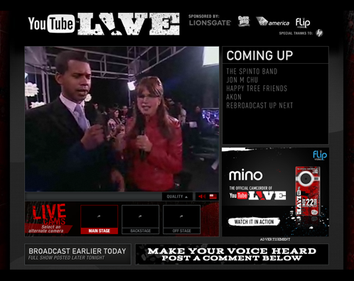
Live streaming on YouTube will change the way we present our media. Think about the power of Google behind media distribution. I think it will disrupt the streaming media CDN marketplace (and much more).
Remember when YouTube offered video uploads and distribution for free? Many thought that business idea wasn't sound. YouTube probably lost a lot of money initially. But now we see they are the second largest search engine of content (behind Google).
It has been a year since YouTube began offering live streaming (see youtube-is-going-live) and they are limiting who has access to the live feature - but rolling it out incrementally.
Live content on YouTube enables exposure to users who otherwise may not have been able to receive that content. This week the International Olympic Committee and YouTube announced that the London 2012 Olympic Games will be streamed live from the IOC YouTube Channel to users in Asia and Sub-Saharan Africa.
~
MXPI is enabled to stream live on YouTube and produces or consults for television and live event producers. I've been webcasting for over ten years along with more than a decade of live television experience and true passion for the technology.
So this Blog is about streaming live on YouTube, the technology required, and methods of process along with opinions and best case scenarios.
Hopefully this blog will answer some questions and generate some discussion -
How does the YouTube Live feature work?
Can your YouTube channel benefit from streaming live?
What equipment or services do I need to stream live on YouTube?
Cheers
:o)
-Bern Rexer
Subscribe to:
Posts (Atom)